Hype dance music visualizer
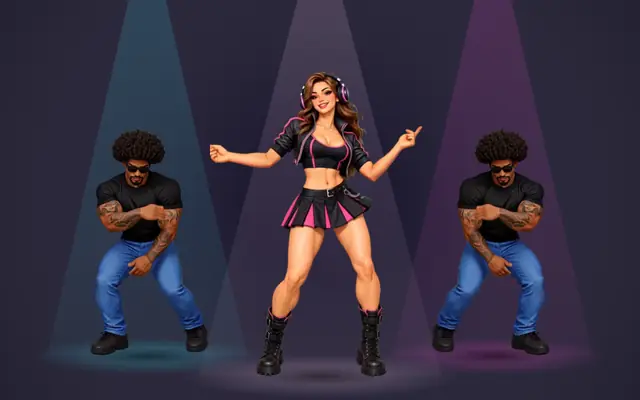
The same three dancers as Dance Crew, turned up: jumps, big arm swings and a spin, every move landing on a beat. Use it for a whole high-energy track, or cut to it for the drop.
Built into our online music visualizer: switch to any other style at any time.
How it reacts
- BEATS
- The routine follows the beat grid of your song, so each jump and arm swing lands on a beat at any tempo.
- KICKS
- The spotlights and the light on the floor flare on every kick, brighter than in Dance Crew.
- ENERGY
- Loud parts light the stage brighter; quiet parts dim it down.
- SECTIONS
- With section styles, start on Dance Crew and cut to Hype at the drop — the crew keeps its places and just changes the moves.
What you can change
Great for
- EDM
- Hip-hop
- Dance
- K-pop
- Drum & bass
- Afrobeats
Similar styles
Dance Crew Hype visualizer FAQ
What is the difference from Dance Crew?
Same dancers, same stage — Hype dances a bigger, faster routine with jumps and a spin, and the lights flare harder. Dance Crew is the smoother groove for verses and mid-tempo songs.
Can I switch between Dance Crew and Hype in one video?
Yes, with section styles (exports on paid plans): split your song where the drop starts and pick Dance Crew before it and Dance Crew Hype after it. The cut snaps to the beat.
Why is only one dancer shown in vertical videos?
A 9:16 frame is too narrow for three dancers side by side, so Shorts, Reels and TikTok formats show the lead dancer on her own.
Can I use my cover art as the background?
Yes. Add cover art in the editor and choose whether it sits dimmed or blurred behind the dance crew hype visual.
Does it work for TikTok, Shorts and Spotify Canvas?
Yes. Switch the format to 9:16 for TikTok, Shorts and Reels, or to Spotify Canvas for a short vertical loop without audio.