Lyric video maker, on the beat.
Paste your words, tap along with the song, and this lyric video maker puts every line on screen right on the beat — over a visualizer that moves with your music. It runs in your browser: no sign-up, nothing uploaded.
Everything here runs in our free music visualizer, right in your browser.
No sign-up · works with any song · MP4 for YouTube, TikTok and Instagram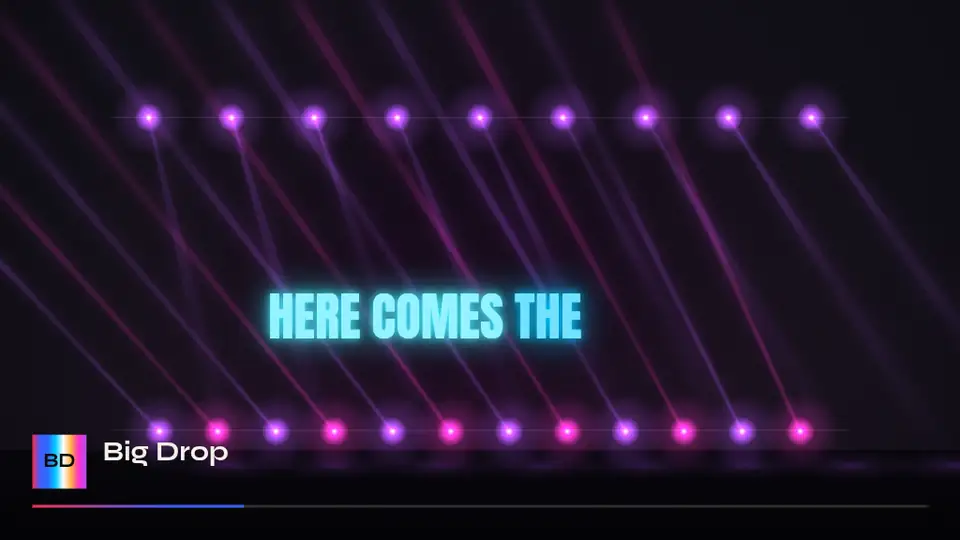
Three looks in one lyric video maker
Any lyric tool can show words. This lyric video maker shows them in time with the music.
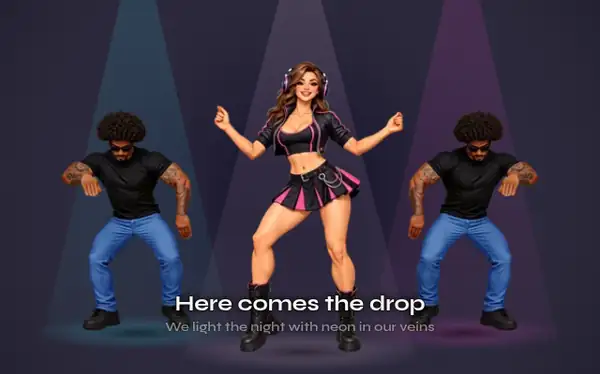
Subtitle
The line at the bottom with the next one under it — clean, readable and made for long songs.
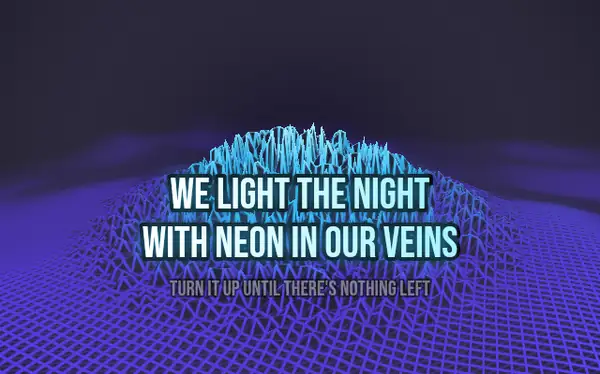
Karaoke
A big line that fills with color as it is sung — the lyric video maker look for sing-alongs and choruses.
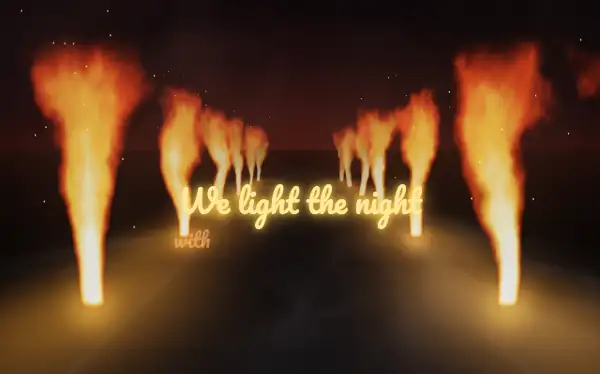
Beat pop
The words pop in one by one on the beat, the newest lit in your colors. Only this lyric video maker times each word to the beat of your track.
How to use the lyric video maker
- 01
Paste your lyrics
One line per row, or import an LRC or SRT file. The lyric video maker keeps empty rows as instrumental breaks.
- 02
Tap along to sync
The song plays and you tap Space as each line starts. Snap to beat in the lyric video maker tidies your timing; Backspace undoes a tap.
- 03
Style it and export
Pick a look, a font and a color, drag the words where you want them, then export an MP4 from the lyric video maker.
Why this lyric video maker is different
A background that moves
Most tools put words over a still photo. Here the lyric video maker sets your lines over one of 30 visualizers that react to the kick, the bass and the drop.
Words on the beat
Beat pop reads the tempo of your song, so every word lands on a beat — no keyframes to place by hand in this lyric video maker.
Private and instant
Your song never leaves your computer. The lyric video maker analyzes and renders everything in your browser, with no account.
Every format
16:9 for YouTube, 9:16 for TikTok, Shorts and Reels, 1:1 for Instagram. The lyric video maker remembers where you placed the words for each shape.
Fonts, colors and effects
Eight fonts from bold Anton to handwritten Caveat, ALL CAPS, five colors or your own, and three effects: soft shadow, outline and neon. The lyric video maker keeps your choices for each song.
- SyneModern
- AntonImpact
- Bebas NeueClean caps
- PlayfairElegant
- CaveatHandwritten
- PacificoRetro
- FredokaPlayful
- Space MonoTech
Backgrounds for the lyric video maker
Lyric video maker questions
Is this lyric video maker free?
Yes. Every lyrics feature is free: all three looks, the fonts, the colors and the effects. Free exports are 720p with a small watermark and up to 5 minutes; paid plans remove the watermark and go up to 4K, and lyrics never cost extra.
Do I need lyrics with timestamps?
No. Paste plain text and tap along with the song to time each line. If you already have an LRC or SRT file, import it and the lyric video maker uses its timing.
Can I make a karaoke video?
Yes. Choose the Karaoke look in the lyric video maker: each line fills with color as it is sung, with the next line shown underneath.
Will it work for TikTok and YouTube?
Yes. Switch between 16:9, 9:16 and 1:1 at any time; the lyric video maker keeps a separate position for the words in each shape.
Which languages can I use?
Any language you can type. The eight lyric fonts cover Latin letters; Chinese, Japanese, Korean and other scripts use your system font.
Is my song uploaded?
No. The lyric video maker runs entirely in your browser, so unreleased music stays on your computer.
Can the words be timed one by one?
Beat pop spreads the words of each line over the beats for you. Timing single words by hand isn't available yet.
Whose lyrics can I use?
Your own songs, or songs you have the rights to. The lyric video maker doesn't supply lyrics.